Instructions for use, on a QR code you print
The same step-by-step procedures your own staff follow, published to the people holding your product. They scan the code on the box and follow it in a browser — no app to install, no account, no sign-up — and the runs come back to you with the time spent on every step.
None of the three needs an account. Publishing does — sign in at sop.mednais.com and the first public procedure in a shared organisation costs nothing.
A code you can scan from this page
This is a real public release on the real product, not a picture of one. We wrote a short procedure about something we can honestly instruct on — checking a printed code before you commit to a print run — published it from our own organisation, and put the code below. It says it is an example on its own first step. There is no invented manufacturer here and no customer’s instructions.

J25WTBPC
Eight characters, from an alphabet with no O and no 0, no I and no 1.
Open it insteadhttps://sop.mednais.com/p/J25WTBPC
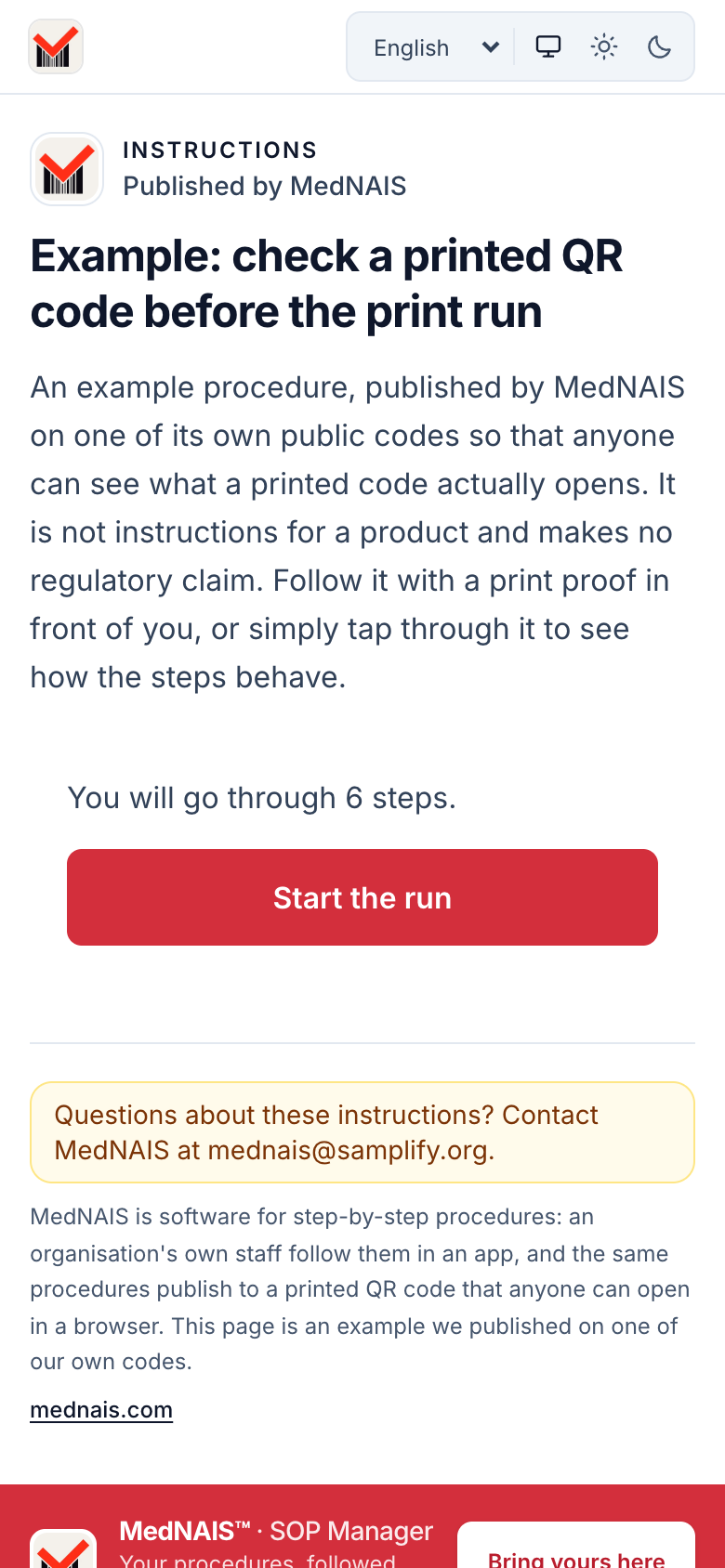
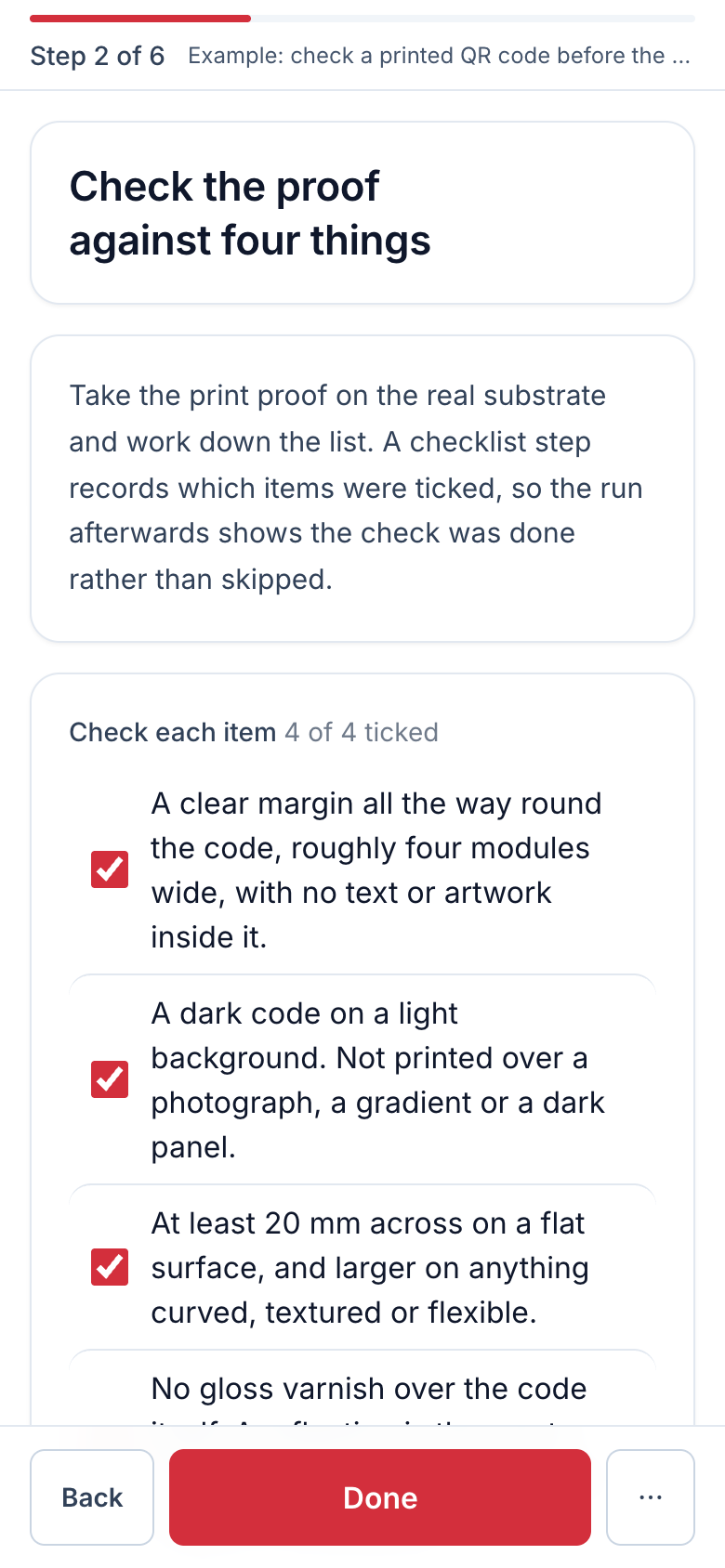
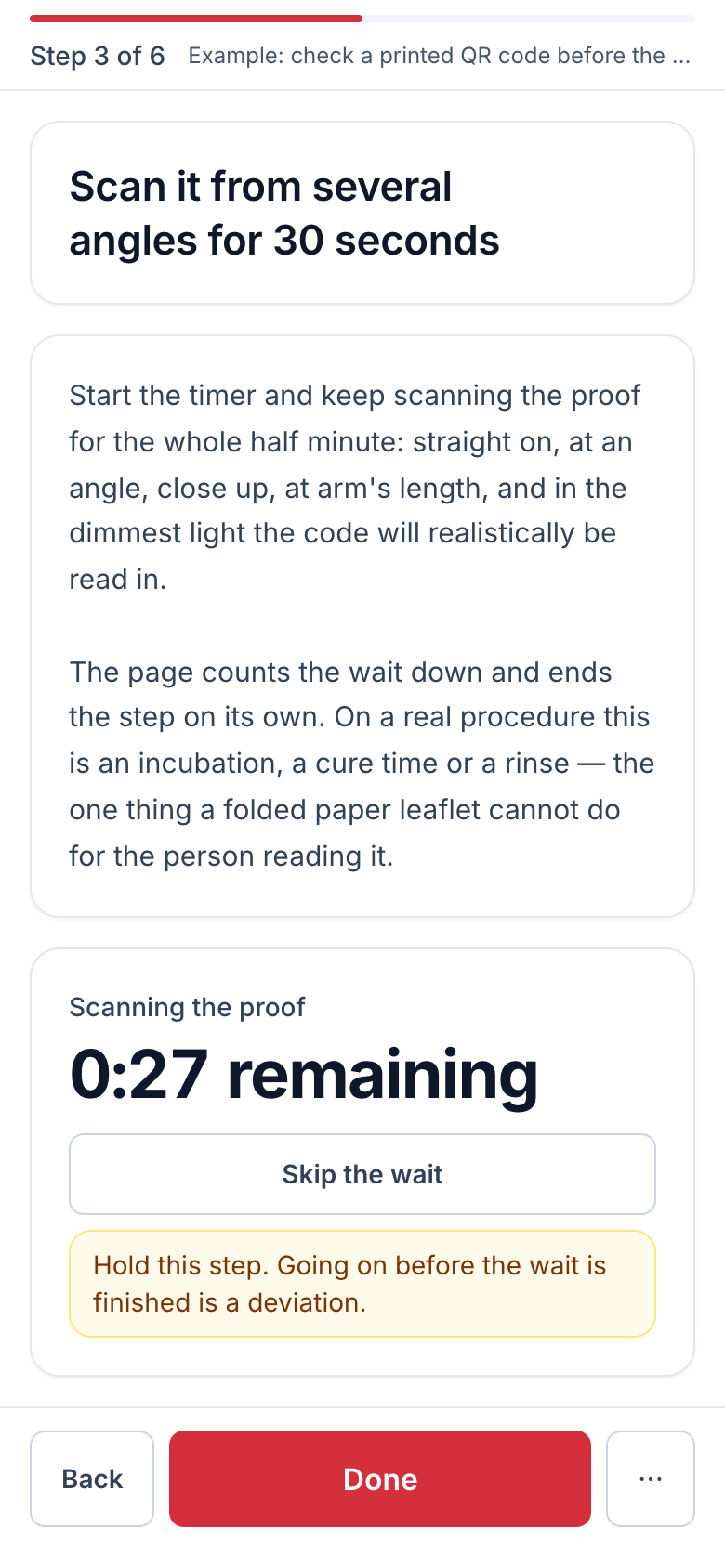
Those three are screenshots of the live page above, taken on a phone-sized screen with no account and no session — the same thing you get by scanning the code. The example is ours: it was published from a shared organisation named MedNAIS, on the one public place a shared organisation gets for nothing, and the support address printed under it is the one that reaches us.
What is deliberately not pictured is the publisher’s side of it. The runs off this code reach our own console with the time spent on each step, and what that looks like is described under What comes back from a printed code below rather than photographed — we would rather leave a gap than show you a screen we had staged.
A folded paper insert cannot count anything
If you ship something that has to be used in a particular order — a test kit, an instrument, an assembly, a piece of equipment that gets installed — the instructions go out as a printed leaflet or a PDF nobody pinches to zoom. Both are the same document for every reader, in one language, frozen at the print run, and neither can tell you which step people actually stop on.
What a leaflet does
- One language per print run, and reprinting is the only correction.
- A timed wait is a sentence asking somebody to find a clock.
- Read in any order, or not at all.
- Tells you nothing about how it went.
What a printed code does
- The same code serves a corrected version after you re-publish it.
- A wait counts itself down and ends on its own.
- One step at a time, in the order you set out.
- Every run comes back with the time spent on each step.
Somebody who did not choose us and cannot leave us
That sentence is written into the page’s own source, and everything below follows from it.
Nothing to install and nothing to join
The code opens a web page. No app, no account, no sign-up, and no cookie is set — after a completed run the browser is holding one key naming that one code and nothing else. The printed link is also deliberately absent from our app-association files, so scanning it can never hand somebody off to an app store.
One step at a time, with the picture the author attached
The same step types the internal app uses: a confirmation, a checklist, a yes-or-no answer, a typed-in code, and a timed wait. Step pictures are copied into a separate public store at publication, so the page a stranger loads cannot reach a private document.
Waits that run themselves
An incubation or a read time counts down on the page and ends on its own. A timed step carries a floor — at least this long — and optionally a ceiling above it, which is how a real window like "at least two minutes, no more than five" is written without faking it as two steps.
Their language for the interface, yours for the procedure
The reader picks from six — English, Russian, Spanish, German, Polish, French. The instructions themselves are in the language they were published in: one code is one procedure in one language, so a publisher selling into several countries mints several codes. A German reader scanning an English box gets English instructions in a German interface, which is the honest rendering of what happened.
Your name on it, not ours
Your organisation’s name, logo and support contact sit above the procedure, and the page takes the look your administrator chose — eight designs and six accent colours. Our own mark is a 28-pixel tile in the corner so that a page asking somebody to press things is not anonymous.
A code that never answers with a 404
Eight characters from an alphabet chosen to be readable off a curved surface, plus a QR you download as an SVG and send to a printer. If the code ever stops serving the procedure it answers with a page naming what it was, who published it and how to reach them — because the support mail arrives at our domain, and the only thing that routes it to somebody who can answer is a page carrying your name.
Change the instructions without changing the packaging
The printed code is minted once and never reissued, because what is printed on a box cannot be recalled. What moves is which version it serves, and it moves when you move it.
- 01
Correct the procedure in the console
A published version cannot be edited by anybody, including us, so a correction is a new version. The old runs keep the wording they were performed against.
- 02
Publish it to the same code
This re-points the printed link at the version now published. The code does not change, nothing needs reprinting, and re-pointing a link that is already answering costs no publication capacity.
- 03
Until you do, the link serves what it served
And the console says so, with the date of the version the code is actually handing out. A reader part-way through keeps the version they started — the steps do not renumber under somebody standing at step 7.
So the true claim is narrower than “instant updates” and more useful than it sounds: the expensive thing about a paper insert is the print run, and that is the thing the code removes. Everything after it is one action in a browser.
What comes back from a printed code
The same shape of record as the work your own staff do, with a number where a name would be.
- A list of the runs off that code — each one an eight-digit number where an internal report would carry a name, because nobody signed in.
- Any one of them opens into the same per-step report the console draws for your own staff: the time spent on each step, total and active time, and how far the run got.
- Public runs reach Analytics and the CSV export alongside everything else, so the instructions on your packaging are measured the same way the work in your building is.
- No live board of strangers. A run in progress on a printed code is not shown as it happens — the board is for work your own organisation is doing, and watching an unidentified member of the public step through a procedure is not something this product offers.
What this is not is a funnel chart. Shared per-day counters of opens and completions were built and then retired, on the owner’s decision that a rate across strangers was not the thing a publisher needed — so nothing in the product computes a completion rate or a drop-off percentage, and this page will not claim one. You can see where each run stopped; you cannot see a percentage that says how many did.
What a public procedure is not
Worth reading before a print run rather than after one.
Not an eIFU system, and not a regulatory claim of any kind
We make no claim under the EU medical device regulation, no FDA claim, and no claim about electronic instructions for use. If a rule obliges you to supply instructions in a particular form, in a particular place, for a particular period, MedNAIS does not discharge that obligation and does not assess whether you have. A manufacturer’s duties stay the manufacturer’s. We hold no certification — no ISO/IEC 27001, no SOC 2, no CE marking, no FDA clearance.
Not offline, on this surface
A printed code opens a web page, and a web page has to be fetched. The page is deliberately never cached, because whether a code still answers is decided when the reader asks rather than when a cache expires — which is what makes taking a procedure down actually take it down. Offline work is the phone and watch app, where the record is kept on the device and sent when the network returns.
Not updated on the printed link by itself
Publishing a corrected version of a procedure does not move the code. The link keeps serving the version it was pointed at until you publish it publicly again, the console tells you when those two have come apart, and a reader who is already part-way through keeps the version they started. That is a deliberate pin: resolving to "whatever is current" would re-number the steps under somebody standing at step 7.
Not anonymous in the strong sense
A run is recorded against a random token held in the reader’s own browser, which exists so that a reload does not turn one run into two. It carries no name, no account and no device identifier that outlives the code. We say that plainly rather than advertising anonymity we would then have to qualify.
Not listed, indexed or searchable
A public procedure is reachable by its printed code and is not in a catalogue, a directory or a search index. Publishing your instructions to the people holding your product is not the same as publishing them to everybody, and we do not make that decision on your behalf.
Not independent of the licence
A printed code depends on a live publication licence. Five days after the term lapses it stops serving the procedure and shows the page described above instead. It is worth knowing before the first print run, and it is why the console warns a publisher rather than letting a date pass quietly.
Not publishable from a personal workspace
Publication belongs to an organisation somebody named and can invite colleagues into. A personal workspace publishes nothing to anybody, which is what keeps the promise the terms of use make about it.
The offline claim on this site belongs to the app and is made there. What the app does at the job — a run continues without a connection, the record is held on the device, and there is an outbox you can look at.
Turn one insert into a code before you commit to a print run
Write the procedure, or draft it from the leaflet you already have, publish it to a code and download the QR as an SVG. The first public procedure in a shared organisation costs nothing, and what a pack of five live public releases costs after that is on the pricing page.