
Your SOPs, step by step
For work where a missed step is expensive.
Procedures your own team runs
Staff you admitted to your organisation, taking the steps on a phone, a tablet or a watch while the work happens. The run continues without a connection and records who performed it and which published version.
Nobody sees a procedure until an administrator admits them to the organisation.
What the app does at the jobInstructions for the people holding your product
A QR code you print on the box or the instrument. Whoever scans it follows the same steps in a browser — no app, no account, no sign-up — and their time per step comes back to you.
It is a web page, so it needs a network; and it is not a regulatory claim of any kind.
How a printed code worksFree to start at sop.mednais.com — no card, and nothing to install. The demonstration needs no account at all. What the product is · Talk to us
Educate · Assist · Monitor efficiency
Three named promises rather than three features, made with the SOPs your organisation already has: MedNAIS teaches a procedure, it assists whoever is carrying one out at the point of work, and it accounts for what was done — down to how long each step took, in a compliance record you can export. The rest of this page is each of the three shown rather than described.
Educate
Learning the SOP
A person learns the procedure by being taken through it step by step, rather than by reading the document first.
- Every step is written twice: in full for a phone or tablet, and as one short line for a wrist.
- A mandatory step that was skipped is recorded as exactly that, so a first attempt is legible rather than merely finished.
This is not a course. There are no lessons, no examination, no certificate and no competency record — somebody learns here by doing the real work with the procedure in front of them, and that is the whole of the claim.
Walk through one yourselfAssist
Guidance at the point of work
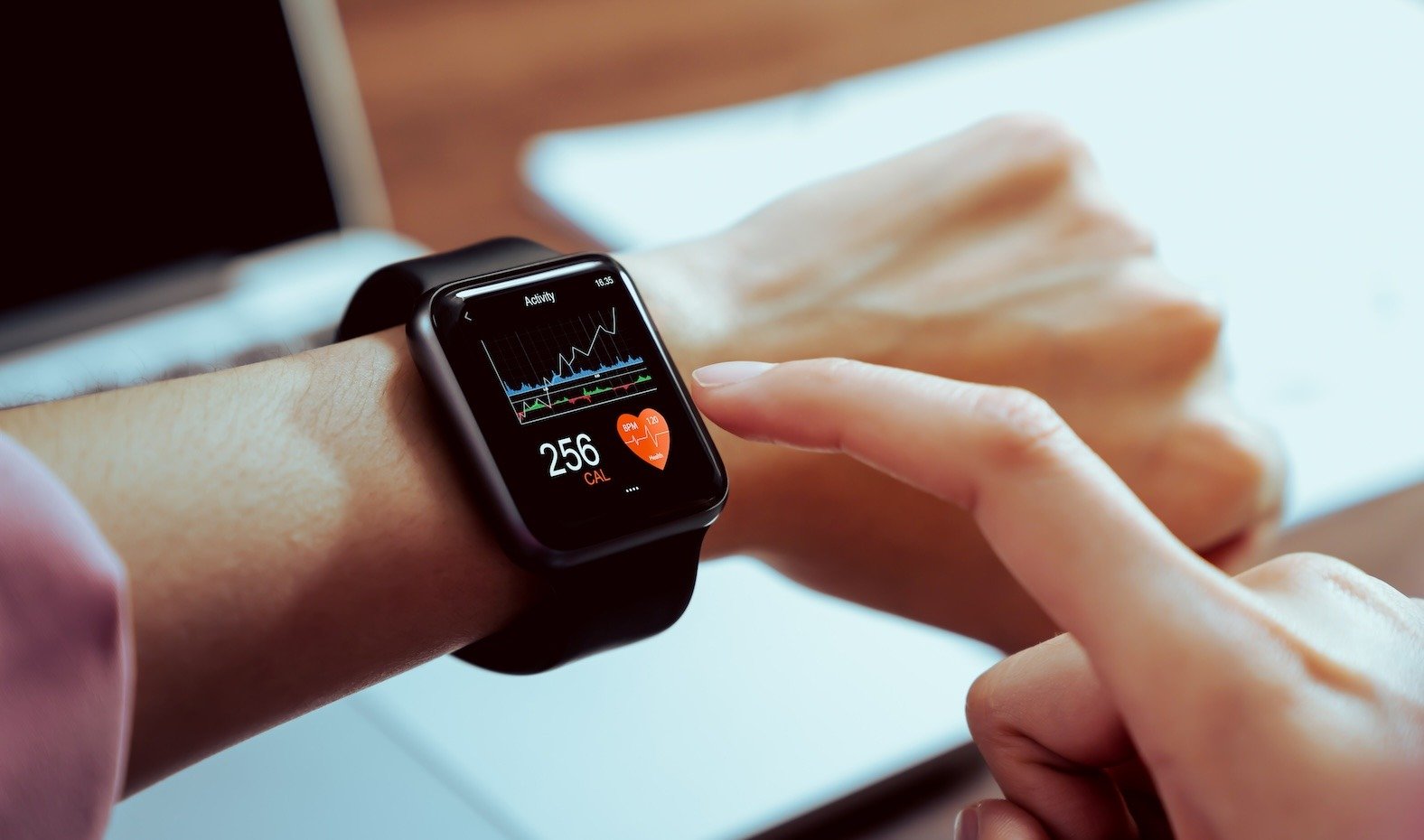
The full step on a phone or tablet, and the short line on a watch when a phone is out of your hands.
- A step can ask for a confirmation, a checklist, a timed wait held until it elapses, a yes-or-no answer, or a barcode.
- It keeps working without a connection and sends what it recorded when the network comes back.
- The watch is a companion to the phone app, not a separate product, and it needs the paired phone.
Monitor efficiency
KPI and the compliance record
Which published version was performed, by whom and in what order, and how long each step took — with KPIs from your own runs.
- A board of the runs open right now, and whether each one is moving or has gone quiet.
- Median and 90th-percentile time per step, drawn from your own organisation’s history and nowhere else.
- Filterable history, weekly and monthly summaries, and CSV export of whatever the filters selected.
The same procedure, two kinds of person
One is a colleague you invited; the other scanned a code printed on something you sold them. The steps, the step types and the per-step record are the same. What differs is worth stating rather than smoothing over.
Your own team, in the building
People you invited, with roles, running procedures on a phone, a tablet or a watch at the job.
- Works without a connection: the run continues, the record is held on the device and goes when the network returns.
- The watch carries one short line of at most 42 characters, for when both hands are occupied.
- A live board of the runs open right now, and whether each is moving or has gone quiet.
- Every run names the person who performed it and the exact published version they performed.
Whoever is holding your product
A QR code you print on the box or the instrument. It opens the procedure in a browser — no app, no account, no sign-up.
- Needs a network, because the page is fetched and is deliberately never cached — that is what makes taking a procedure down actually take it down.
- Timed waits count themselves down and end on their own; the reader picks their interface language from six.
- No live board of strangers, by design. A run in progress on a printed code is not shown as it happens.
- Each run comes back as an eight-digit number with the time spent on every step, because nobody signed in.
Neither column is a claim about compliance with anything. We hold no medical device approval and take on none of a manufacturer's obligations for instructions for use — publishing a procedure to a printed code is a way to put instructions in somebody's hand, not a way to satisfy a regulator.
Every step is written twice
Once in full, for a phone or a tablet. Once as a single line of at most 42 characters, for a wrist. Below is one real step from the demonstration, rendered both ways.
Fall-harness check before climbing
Step 2 of 3
Webbing and stitching undamaged?
A single question, answerable with a glance and one tap. This is the shape most steps take on a watch, because both hands are usually occupied.
Recorded as an answer, not merely as a completion.
Step 2 of 3
Webbing and stitching undamaged?
32 of the 42 characters a watch line is allowed. Answerable with a glance and one tap.
A scan goes back to the phone
Wear OS cameras are rare and Apple Watch has none, so a barcode step is handed to the paired phone rather than quietly skipped. A scan exists to verify an identity.
A cellar has no signal
The run continues offline and the record is held on the device, then sent when the network returns. There is an outbox you can look at.
You do not need watches to start
A phone or tablet gives the whole procedure with the full text of every step. The watch is a companion to it, needs the paired phone, and does not work on its own.
What a supervisor sees while it is happening
Not a report the following week. A board of the runs open right now, which step each one is on, and how that compares with how long it usually takes here.
Happening now
3 open · 1 longer than usual · 1 no recent contact
Goods-in, bay 3
Despatching a pallet · v4
3/7 Scan the pallet label
usually about 40s
Filling line 2
Changeover on a filling line · v11
5/12 Purge the line
longer than usual here, which is 2m 10s
Sample reception
Specimen intake checks · v2
1/6 Confirm the request form
nothing heard for 6m
An illustration of the board, with the words it uses. Two honest limits come with it: “no recent contact” means a device stopped reporting, not that somebody stopped working — a heartbeat is not a person — and it is visible to owners and administrators only. A member sees their own runs.
Measured against your own practice
Median and 90th-percentile time per step, from your organisation’s own recent runs — “usually about this long here”. Not a target, not a limit, not a standard, and never compared with anything outside your organisation. A step can be entirely typical for the people doing it and still too slow for the work; only somebody who knows the work can tell, and the numbers do not pretend otherwise.
History you can filter
Every run, by procedure, by version, by person, by date. Which steps were skipped, which were revisited, which timer ran to zero and which was never started. Weekly and monthly summaries are kept as they were generated.
Out as CSV
Whatever the filters selected, exported by an owner or an administrator. Data leaves the product as CSV; there is no HL7 FHIR interface and no LIS or LIMS connector, and earlier versions of this site were wrong to say there was.
A record is only worth what stands behind it
A person stands between the first of these and the third, on purpose.
Written, or drafted from your own document
Type the steps, or upload the document the procedure comes from and let a language model write the first pass. Procedures are written from the documents you supply and from nothing else — there is no shared catalogue.
Published by an owner or an administrator, never by the product
A generated procedure is a draft, and anybody in the organisation can write one — but only an owner or an administrator can publish it, and the database refuses everybody else. The person who wrote it marks it ready; the version then records who asked and who published.
Pinned to every run that follows
A run refers to the exact published version performed, and that version cannot be deleted while a run refers to it. A draft cannot be performed at all — the database refuses it, not the interface.
Writing, publishing, inviting people, setting roles and reading the analytics all happen in the browser. What the console does
What you can show afterwards
Compliance here is not a promise that you will pass something. It is a list of the questions the product can answer about a piece of work that was done six months ago.
- Which published version was performed on every single run — and that version cannot be deleted while a run still refers to it.
- Who published that version, and when — and, separately, who wrote it and marked it ready. Only an owner or an administrator can publish, and a published version cannot be taken back out of published by anybody.
- Every run that was ever recorded. A run cannot be deleted — not by the person who performed it, not by an administrator, not by the owner, and not by us. The only thing that removes runs is deleting the whole organisation, and then they all go together.
- The exact words that were followed. Once a version is published its steps cannot be edited, added to or removed — by anybody in your organisation, and not by us either. Correcting a published procedure makes a new version, which is the point: the old runs keep the text they were performed against.
- A step-by-step journal that is only ever added to: entering a step, completing it, answering it, starting and finishing a timer, pausing, recording a deviation.
- Whether a code was scanned or typed in by hand. The record keeps the difference and passes no judgement on it, because only somebody who knows the work can weigh why.
- Who was added to the organisation, who changed somebody’s role, who created or revoked an invite link, and who changed the organisation’s settings.
- The document a step was written from, and — where your organisation supplied the document itself — the section and the passage it came from.
- All of it as CSV, plus weekly and monthly summaries kept as they were generated.
And the part that is still not a promise
There is a role gate on publication now: only an owner or an administrator can publish a version, and the database refuses everybody else rather than the interface hiding a button. What that gate does not do is make anybody read the draft. That a person qualified in the work must read it in full is a rule in our terms of use and a rule we hold ourselves to; the product checks a role, and no product can check a qualification. So there is no approval step to reject something, no sign-off and no second approver — we would rather write that here than let you infer an approval module that does not exist.
Not built around one industry
A SOP is a SOP, and somebody has to answer for it either way. The problem is the same in a laboratory, a machine shop, a warehouse and a building site. Medicine is one of the examples, not the frame around the rest.
Healthcare and laboratories
Specimen collection, sample handling, cleaning and disinfection rounds.
Manufacturing and maintenance
Line changeovers, planned maintenance, first-off inspection.
Logistics and warehousing
Goods-in checks, cold-chain handovers, loading and dispatch.
Construction and workplace safety
Permits to work, pre-use equipment checks, lifting plans.
What MedNAIS is not
Worth stating on the front page rather than in a clause somebody has to find.
- Not a training course. Nobody is examined, nothing is certified, and MedNAIS issues no competency record. Somebody learns a procedure here by performing it under guidance, which is a different thing and is all we claim.
- Not an approval workflow. Only an owner or an administrator can publish, and that much is enforced — but there is no reject, no reviewer to assign, no second approver and no comment thread. What is recorded is that one person marked a draft ready and another published it.
- Not an electronic signature system. There is no 21 CFR Part 11 conformance, no signature on a record and no validated-system claim of any kind.
- Not certified for anything. No ISO/IEC 27001 certificate, no SOC 2 report, no HIPAA attestation, no CE marking, no FDA clearance. We would rather you read that here than find it in a procurement review.
- Not proof of compliance on its own. The record shows what was entered into the product, which is useful evidence that a procedure was followed and is not an audit, a certificate or a substitute for compliance review.
- Not tamper-proof. A run cannot be deleted, a published version cannot be edited, and the journal is only ever added to — but all three are true because the database refuses the other operations, not because anything is cryptographically sealed. There is no hash on a record and no chain between records, so nobody can verify any of it without trusting our database. And a database can be changed by whoever runs it, which is us. We say “append-only” and “cannot be edited after publication”, which we can show; we do not say “tamper-proof”, which would mean an auditor could detect interference without taking our word for it.
- Not unchangeable in one narrow case, and we would rather name it than let you find it. If a rights holder withdraws text we were citing, we can take the clause number — and if required the quotation — off citations in versions that are already published, because we can no longer stand behind a reference to a document we do not hold. It is the only edit to a published version the product permits, nobody inside your organisation can make it, it cannot touch the wording of a step, and your organisation’s audit log records it with the reason.
- Not a medical device. It does not diagnose, treat, monitor or make any decision about an individual patient.
- Not an eIFU system, and no regulatory claim of any kind. A procedure published to a printed QR code is a way to put instructions in somebody’s hand — it is not electronic instructions for use in the regulatory sense, we make no claim under the EU medical device or IVD regulations and none to the FDA, and we take on none of a manufacturer’s duties: not the form the instructions must take, not the languages, not the period they must stay available, and not the paper copy a customer may be entitled to ask for. If a rule obliges you to supply instructions in a particular way, MedNAIS does not discharge it and does not assess whether you have.
- Not offline on every surface, and the difference is worth knowing before you print anything. The phone and watch app runs without a connection and holds the record on the device until the network returns. A public procedure opened off a printed QR code is a web page and has to be fetched — deliberately so, and never cached, because whether a code still answers is decided when the reader asks rather than when a cache expires. That is what lets a publisher actually take a procedure down; it also means a printed code is no use in a basement.
- Not a library of standards. We do not supply, license or resell them — procedures are written from documents you supply.
- Not a benchmark against anybody else. Timings are compared with your own organisation’s history and with nothing outside it.
Quick Answers
What is MedNAIS for?
Three things, with the SOPs an organisation already has, and each of the three has a name. Educate: somebody learns a procedure by being taken through it step by step rather than by reading the document first. Assist: the full step on a phone or tablet while the work is happening, and the short line on a watch when a phone is out of your hands. Monitor efficiency: which published version was performed, by whom and in what order, how long each step took — KPIs from your own runs, and a compliance record you can export. Those three are for your own staff and also for people outside your organisation: the same procedure can be published to a QR code you print, which opens it in a browser for whoever is holding your product, with no app and no account. It is not addressed to one industry: healthcare and laboratories, manufacturing and maintenance, logistics and warehousing, and construction and workplace safety are all in scope.
Can we put instructions on a QR code for our own customers?
Yes, and that is the public half of the product. You write the procedure in the console, publish it to a code, and download the QR as an SVG to print. Somebody scanning it opens the steps in a browser with no app, no account and no sign-up; timed waits count themselves down; the page carries your organisation’s name, logo, support contact and chosen look rather than ours; and the reader picks their own interface language out of six. Each run comes back to you as an eight-digit number with the time spent on each step, because nobody signed in. Three limits in the same breath: it needs a network, since a printed code opens a web page that is deliberately never cached; correcting a procedure does not move the printed link until you publish it to that code again, and the console tells you when the two have come apart; and none of this is a regulatory product — we make no claim under any medical device regulation and take on none of a manufacturer’s obligations for instructions for use.
Does “compliance” here mean you make us compliant?
No. It means the product gives you something to show afterwards. Every run names the exact published version that was performed and cannot lose it; publication is attributed to a person and a time; the step-by-step journal is only ever added to; membership, role, invite and settings changes are logged; and all of it exports as CSV. What it is not: an audit, a certificate, an electronic signature, a validated system, or proof of compliance on its own. We hold no certifications, and the compliance page says so in more detail than most suppliers would like to.
Is there a training module, with courses and certificates?
No, and there is not going to be one described here before it exists. What the product does is put the procedure in front of somebody while they carry it out, in full, in their own language, so the learning happens on the real task. The record shows whether a run went through cleanly — no mandatory step skipped and no going back — which is a fair picture of somebody’s first few attempts. It is not an examination and it produces no certificate.
What does the timing data mean?
Median and 90th-percentile time per step, drawn from your own organisation’s recent runs of the same step. It answers "how long does this usually take here", which is useful for finding where a procedure loses time. It is not a norm, a target or a limit, and it is never compared with an outside standard: a step can be perfectly typical here and still dangerously slow, and this data cannot tell the difference.
Can I see it before talking to anybody?
Yes. The demonstration at sop.mednais.com/demo needs no account and no sign-up — four short example procedures in a warehouse, a production line, a laboratory and a building site. Nothing done in it is recorded or sent anywhere. If you accepted cookies, Meta learns only that the demonstration was opened.
What does it cost?
Free to start, and you do not have to ask us for access: sign in at sop.mednais.com, create an organisation and start. Past the free allowances there are two meters and no tiers: a licence is $159.99 per person for the year, charged once, and a publication pack is $159.99 for five public SOPs for the year, charged once. Tax is added at checkout, so a buyer outside the United States pays more than the figure. What costs nothing: one shared organisation you create yourself, two procedures and two people in it, and one procedure published to a printed code for the public to read — with nothing to renew and no card asked for. Everything is bought in the browser; nothing is sold inside the mobile apps, which draw no price and offer no purchase. The terms you accept at sign-in give an existing organisation at least thirty days notice and an export before anything changes for it.
See it before you talk to anybody
Four short example procedures — a warehouse, a production line, a laboratory and a building site — with the phone view and the watch view side by side. No account, no sign-up, and nothing you do in it is recorded or sent anywhere. If you accepted cookies, Meta learns only that the demonstration was opened.